My Tello
- 3.9
- Rating
- 100.00K
- Installs
- Free
- Price
 Analysis by App-foxy
My Tello is the kind of communication app I would open when I want to manage my mobile service without turning a small account task into a phone call or a visit to a website. It comes from Tello LLC and is free to use, with an Everyone age rating. In my experience, its value is less about creating another place to chat and more about making the practical side of staying connected easier to see and control.
The app sits in the communication category, but that label needs a little context. This is not a replacement for a messaging service, social network, or video-call platform. Its job is closely tied to your Tello account: checking your balance, managing service, choosing a Cell Plan or Pay As You Go option, and making calls over Wi-Fi. That narrower purpose is also its main strength. I do not have to search through unrelated features when I simply want to understand my mobile usage or adjust the way I pay for calls and service.
How My Tello fits into a calmer communication routine
The first thing I noticed is that the app changes the rhythm around communication before I even place a call. Instead of treating every call as an automatic use of mobile service, I can check the account side first and make a more deliberate decision. That matters if I am traveling, relying on Wi-Fi, trying to keep spending predictable, or using my phone differently from week to week.
You May Also Like

 Blood Strike: 2.5 Anniversary
Blood Strike’s Loadouts Turn Every Drop Into a Tactical Gamble
A close look at Blood Strike’s custom loadouts: how fast access to signature weapons reshapes its battle royale rhythm, rewards preparation, and narrows the gap between fights.

 Pandora - Music & Podcasts
Pandora’s Music Is Easy to Start, but Harder to Recover
Pandora’s strength is its low-effort path from a seed to a station. Its weak spot is how much confidence it asks you to place in connection, setup, and quiet recovery.

 8 Ball Pool
 Is Built on Rivalries, Rematches, and Routine
A close look at the rivalries, rematches, shared routines, and unanswered safety questions that turn a quick pool match into a persistent mobile community.

 Samsung Music
’s Quiet Strength Is Playing What You Already Own
Its reach comes less from spectacle than from dependable access to a personal library. That simplicity is both the app’s strongest retention engine and its ceiling.

 AccuWeather: Weather Radar
AccuWeather Review: A Quick, Clear Forecast for Everyday Decisions
For everyday plans, the best forecast is the one you can understand quickly. AccuWeather makes rain timing, radar, and local conditions easy to act on, with a few trade-offs.

 Hill Climb Racing
Why Hill Climb Racing Still Turns Crashes Into One More Run
A tiny car, a bumpy hill and one more upgrade: Hill Climb Racing keeps resurfacing because its simple chaos makes every near-miss feel personal.
More From Our News Desk
View All News


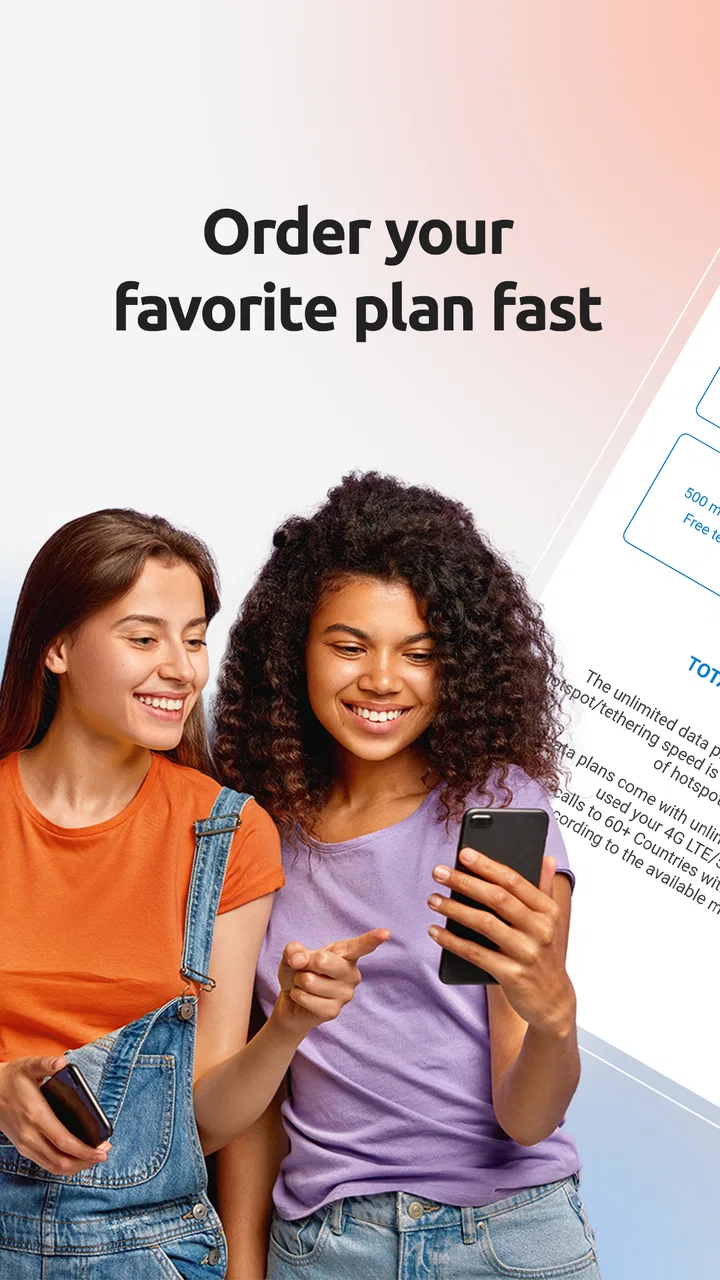
The store summary describes the central workflow clearly: see your balance, manage the account, buy a Cell Plan or Pay As You Go, and call over Wi-Fi. I found that combination more useful than a collection of loosely connected account tools. It links the practical question—how much service do I have available?—with the immediate action of making a call. For someone who prefers to understand the limits of a service before using it, that connection reduces guesswork.
My Tello has been available since October 13, 2015, and the current version is 3.23.1. It requires an operating system version of 10 or later. Those details are worth checking before installing, particularly if you keep an older phone for occasional use or as a backup. The app has passed the early novelty stage, but I still judge it as a focused account companion rather than a complete communication hub.
A practical use case: preparing for a Wi-Fi calling day
Imagine I am spending the afternoon in a building with dependable Wi-Fi but do not want to use mobile service casually. Before I start making calls, I can open My Tello, review the account balance, and decide whether my current setup is suitable. If it is not, the app gives me a route to buy a Cell Plan or choose Pay As You Go. That sequence is more useful than discovering a service problem halfway through an important conversation.
The same workflow makes sense for someone who calls irregularly. A person who only needs occasional calls may not want to think in the same way as someone who uses a phone constantly. Pay As You Go can fit a more occasional pattern, while a Cell Plan may feel more natural for a steadier routine. I would not choose between them blindly. I would first look at how often I actually call, then use the app to manage the option that matches that behavior.
This is one of the less obvious benefits: the app encourages me to separate communication need from communication habit. I can ask whether I need a plan, whether I am about to make a one-off call, or whether Wi-Fi is the sensible route. That small pause can prevent the common mobile habit of using a service automatically and checking the consequences later.
What the call-over-Wi-Fi option changes
Calling over Wi-Fi is especially relevant when the quality or availability of a mobile connection is not ideal but the local internet connection is usable. In that situation, My Tello gives the account and calling experience a closer relationship. I do not have to think of Wi-Fi as something used only for browsing or app updates; it becomes part of the decision about how I communicate.
There is a trade-off, though. Wi-Fi calling is only as comfortable as the network around me. A stable connection can make the option convenient, while a crowded or unreliable network can make an important call feel uncertain. I would use it confidently for ordinary conversations when the connection is known to be good, but I would avoid treating it as a guarantee of perfect call quality in every location.
That distinction is important for anyone comparing this app with a general internet-calling service. A dedicated calling platform may be better if both people already use that platform and want extra conversation features. My Tello makes more sense when I want the call to remain connected to my Tello service and account choices rather than moving everyone into a separate communication ecosystem.
Keeping attention from being pulled in too many directions
Many communication apps compete for attention through messages, alerts, feeds, and social activity. My Tello feels different because its purpose is more administrative and immediate. I open it with a question—what is my balance, how should I manage service, or what calling option should I use? Once I have answered that question, there is less reason to keep browsing.
I see that as a genuine advantage for people who are trying to create firmer boundaries around their phones. The app does not turn account management into an endless content loop. I can check what I need and return to the rest of my day. That makes it a better fit for someone who wants communication tools to be functional rather than constantly engaging.
At the same time, the focused design means I would not install it expecting it to organize all my conversations. It does not replace the messaging, group discussion, or social features I might use elsewhere. If my main problem is too many conversations spread across different services, My Tello will not solve that. Its contribution is more specific: it can make the service behind calls easier to understand, which may reduce one source of background worry.
Account decisions are easier when they happen before the call
The balance view is more than a number to me. Used at the right moment, it becomes a prompt to make a communication decision before I am under pressure. I can check it before a long call, before traveling, or before handing the phone to someone who may use the service differently than I do. That habit is simple, but it replaces vague assumptions with a visible starting point.
I would also use the app as part of a short monthly check-in rather than opening it only after something goes wrong. Looking at the account when I have time makes it easier to notice whether my current plan still matches my life. Perhaps I am calling less than expected, or perhaps I am relying on calls more often. The useful insight is not just seeing the account; it is comparing the account choice with my actual communication rhythm.
That is where My Tello feels more thoughtful than a basic payment screen. It supports a small planning routine: check the balance, consider upcoming calls, and choose whether the current service is still appropriate. I would not call this a budgeting app, but it can help someone make more intentional decisions about mobile communication.
Boundaries for families, travelers, and occasional callers
For a family member who does not want to manage a complicated mobile setup, the app may provide a direct place to handle the Tello side of the phone. I would still show that person the basic workflow in advance: where to check the balance, where to manage the account, and how to choose between a Cell Plan and Pay As You Go. The benefit is not that every decision disappears; it is that the relevant decisions are gathered in one focused app.
Travelers may also appreciate the ability to think about Wi-Fi and service separately. Before leaving home, I would check the account and decide how much communication I expect to need. Once I arrive, I would use known Wi-Fi networks for calls when appropriate, rather than assuming that every connection is equally dependable. The app supports that planning, but it does not remove the need for sensible judgment about network quality and the importance of the call.
Occasional callers are another strong audience. If I rarely make calls, a large, feature-heavy communication platform may feel unnecessary. My Tello gives that person a more direct route to the service decision. The important caution is that convenience should not encourage random purchases. I would check my pattern first and choose the option that suits it, instead of changing plans simply because the control is easy to reach.
Where the app may feel limited
The narrow focus that makes My Tello easy to understand can also make it feel incomplete if I expect a full phone-management experience. Someone looking for a unified inbox, rich messaging, group calls, or a social layer will need other apps. My Tello is not trying to become the place where every conversation happens, and I would not recommend it on that basis.
There is also a mental adjustment for people who are used to managing everything through a browser or through the phone’s built-in calling screen. If those existing habits already work well, installing another account app may feel like an extra step. The strongest reason to keep it is the convenience of having Tello-specific balance, service choices, and Wi-Fi calling access together. Without that need, the app may not add much to a person’s routine.
Wi-Fi calling also requires realistic expectations. I would not use it as the sole plan for a critical call unless I trusted the available network. A weak connection can affect the experience, and the app cannot change the quality of the Wi-Fi itself. This is a practical limitation rather than a flaw in the account tools, but it should influence how confidently someone relies on the feature.
How it compares with common alternatives
Compared with managing a Tello account through a mobile browser, My Tello feels more natural for repeated checks. A browser can be perfectly adequate when I only need occasional access, but an app is easier to reach when I want to check the balance before making a call or adjust service from the phone I am already using. The advantage is convenience and continuity, not a promise that every task will be fundamentally different.
Compared with a general calling app, My Tello has a different center of gravity. A general service may offer more ways to communicate inside its own network, while My Tello keeps attention on Tello account management and calls over Wi-Fi. I would choose the general alternative for social conversation features or when my contacts are already organized there. I would choose My Tello when I want the service decision and the call to remain connected.
Compared with the built-in phone app, My Tello adds the account context that the ordinary dialer does not provide. The dialer is still the simpler tool for quickly selecting a contact and calling. My Tello becomes useful when I need to think about balance, plan type, Pay As You Go use, or Wi-Fi calling. In other words, the two tools serve different moments rather than competing for exactly the same job.
Who should install it, and who should skip it?
I would recommend My Tello to Tello customers who want a quick way to monitor service and make more deliberate calling choices. It is particularly suitable for people who call irregularly, rely on Wi-Fi in certain places, or prefer to check account details before communication becomes urgent. The free price also makes it easy to try without turning the decision into a financial commitment.
I would be more cautious about recommending it to someone who does not use Tello service or who wants one app to handle messaging, social communication, and calls together. That person would probably be better served by a broader communication tool or by the phone’s existing apps. I would also hesitate for someone using an operating system older than the required version, since compatibility should be checked before building a routine around the app.
The app’s audience appears reasonably established: it has more than one hundred thousand installs, an average rating of 3.9 from roughly 3.4 thousand ratings, and around 1.4 thousand written reviews. I read those figures as a sign of useful but not universal appeal. My own view matches that balance. The app does a focused job well enough to earn a place on the phone of the right Tello customer, but its value depends heavily on whether that customer needs account control and Wi-Fi calling in daily life.
My final judgment on the everyday experience
After using My Tello as an account companion, I came away with a clearer sense of its role. It does not try to make communication louder or more social. Instead, it helps me slow down around calls: check the balance, consider the service I need, decide whether Wi-Fi is suitable, and then communicate with fewer unanswered practical questions in the background.
That change in rhythm is the app’s most meaningful quality. It can create a small boundary between wanting to call and automatically reaching for the phone. For some people, that will feel like unnecessary administration. For others, especially those managing occasional calls or trying to keep mobile choices predictable, it will feel reassuring.
My recommendation is straightforward: install My Tello if you want Tello account control and Wi-Fi calling in one focused place, but skip it if you are searching for a complete messaging or social communication platform. It is a practical tool rather than an all-purpose destination, and I think it works best when used intentionally—before a call, before a plan change, or during a quiet account check instead of in the middle of a problem.
With its Everyone rating, free access, and current version 3.23.1, it is approachable for the people it is designed to serve. I would keep it on my phone because it gives service management a clearer place in my communication routine without demanding more attention than the task deserves. That is a modest benefit, but in everyday phone use, modest and dependable can be exactly what I want.
FAQs for My Tello
01What is My Tello, and what can I use it for?
My Tello is a mobile companion app designed for users of Tello’s telecommunications services. After installing it, you can generally use it to review your account information, monitor your available balance or plan usage, manage services, and check important account details from your phone. It is intended to make everyday account management easier without requiring you to contact customer support for routine tasks.
02Do I need to be a Tello customer to use My Tello?
Yes, My Tello is primarily intended for existing Tello customers. You will normally need an active Tello account and valid login credentials to access the main features. If you are considering switching to Tello, the app may still provide useful information about the service, but most account-management tools will not be available until you have registered for a plan or activated a compatible service.
03Can I manage my Tello plan and monitor my usage through the app?
My Tello is useful for keeping track of your mobile account in one place. Depending on your account and the current app version, you may be able to review data, minutes, messages, renewal details, and other plan information. It can also help with changing or renewing a plan and checking account balances, although some options may vary according to your Tello service and region.
04Is My Tello free to download, and will it work on my device?
The My Tello app is generally free to download, but using Tello’s mobile service still requires an appropriate plan and may involve regular service charges. Before installing it, check the Google Play Store or Apple App Store listing for the latest operating-system requirements. Performance can also depend on your device model, internet connection, and whether the app has been updated recently.
05Is My Tello safe for managing my account and personal information?
My Tello is designed to provide access to account-related information, so users should treat it like any other telecommunications or financial-management app. Download it only from the official Google Play Store or Apple App Store, use a strong and unique password, and avoid sharing verification codes. Keep your operating system and the app updated, and log out on shared devices to reduce unnecessary security risks.
Pros
- Simple interface makes drone controls easy to understand
- Stable flight performance when the connection is strong
- Supports useful camera controls for compatible Tello models
- Offers automatic flight modes for more entertaining recordings
- Free to download and suitable for casual drone pilots
Cons
- Some features depend on the specific Tello drone model
- Video quality is limited compared with more advanced drones
- Wi-Fi connection can drop when flying near interference
- The app may feel basic for experienced drone enthusiasts
- Battery and flight range limitations remain noticeable during use

My Tello
Gallery